
SEO
What Hadrian puts in the head of every page without being asked, the multi-language alternate links you can switch on, and the sitemap.xml and robots.txt it writes for you.
Introduction
WHMCS is not a bad neighbour to a search engine, but it is a quiet one. Out of the box it gives you a page title and very little else - no canonical URL, no social card, no sitemap, nothing to tell Google that the German version of a page exists.
Hadrian fills that in at three levels:
- Automatic. Canonical URLs, Open Graph and Twitter cards, and the page language go into every page's
<head>from the moment the theme is active. There is nothing to enable. - One switch. Multi-language
hreflangalternate links, from the Settings tab. - Per page. Title, description, social image and indexing, in as many languages as you run, from the Pages tab.
Then a generator writes sitemap.xml and a managed block in robots.txt to your web root.
header.tpl. Updating the theme never overwrites it.What every page gets
Hadrian composes the whole head block from two strings - a title and a description - so the <title>, the Open Graph card and the Twitter card can never disagree with each other.
Title and description
<title> is the SEO title you wrote for that page on the Pages tab, rendered exactly as typed. Leave it blank and it falls back to WHMCS' own page title, an em dash, and your company name:
<title>Client Area — Hostnodes</title><meta name="description"> is the SEO description for the page. Blank falls back to the tagline in WHMCS' General Settings. With neither, the tag is left out rather than emitted empty.
Canonical URLs
Every page carries a rel="canonical" link built from the address the visitor actually arrived on, with the currency and language query parameters stripped out:
<link rel="canonical" href="https://example.com/knowledgebase.php?action=displayarticle&id=5">Those two parameters are the ones that multiply a WHMCS site into thousands of near-identical URLs - the same article, once per currency, once per language. Dropping them from the canonical points all of that value back at one address. Every other query parameter is kept, because on WHMCS an id or an action is usually the page.
The same string is emitted as og:url, so a link shared on social never disagrees with the address you told Google to index.
index.php?rp=/... still canonicalise to themselves rather than to the friendly form. Set up the redirect at the web-server level - that is the only place it can be done without a round trip.Open Graph and Twitter cards
Both card sets are emitted on every page, whether or not you have filled anything in:
| Tag | Where it comes from |
|---|---|
og:type | article on View Announcement and Knowledgebase Article; website everywhere else, including the pages that list them. |
og:site_name | Your WHMCS company name. |
og:title, twitter:title | The same string as <title>. |
og:description, twitter:description | The same string as the meta description. Omitted when there is none. |
og:url | The canonical URL. |
og:image, twitter:image | The social image set for that page on the Pages tab. There is no site-wide default. |
twitter:card | summary_large_image when that page has a social image, summary when it does not. |
The rest of the head
<html lang> carries the visitor's active locale rather than a hardcoded en, so a crawler reading a German session is told the page is German, which is what makes the alternate links below add up. Your favicon and, when you have uploaded a square logo, an apple-touch-icon come from the Branding tab. And <meta name="robots" content="noindex, nofollow"> appears on any page you set to Disallow indexing, and only there.
Per-page SEO
Title, description, social image, indexing and the page's public URL all live on that page's row in the Pages tab, and all of them are stored per language. They are documented in full - including the bulk translation editor - in Page Manager.
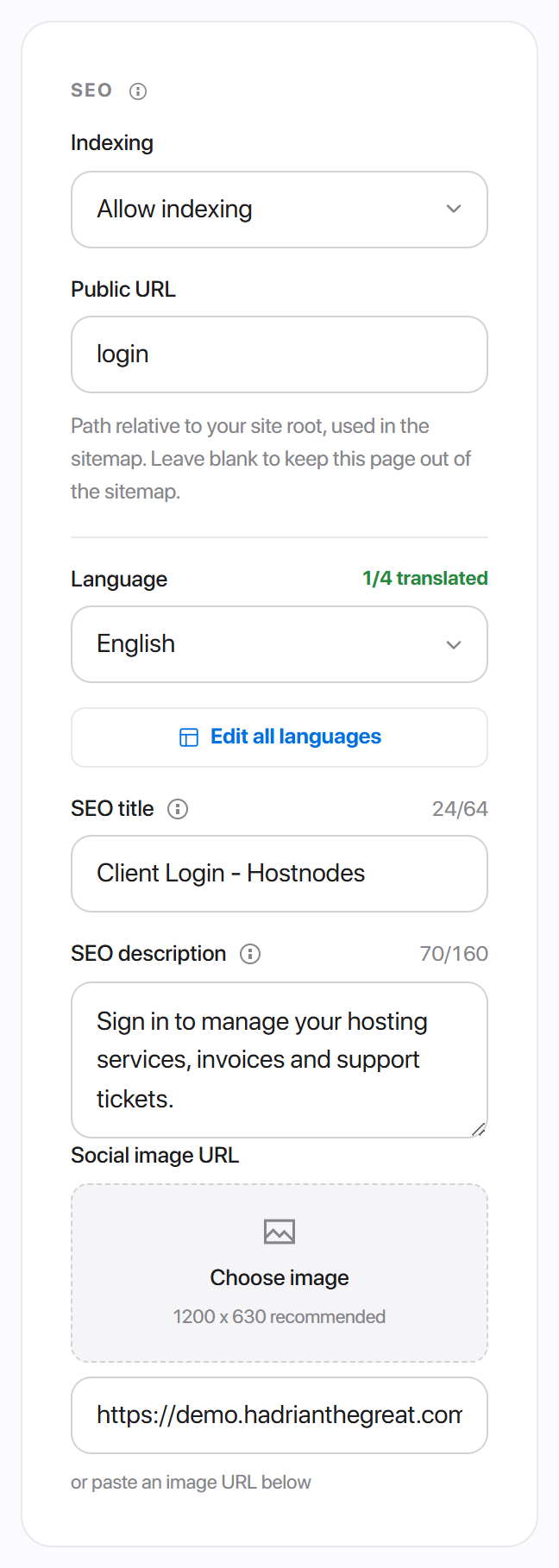
Two things from that screen matter to the rest of this article:
- Indexing decides both the
robotsmeta tag and whether the page can appear insitemap.xml. - Public URL is the address written into the sitemap. A page with no public URL is never listed, however it is set to index.
Alternate links
If you run WHMCS in more than one language, a rel="alternate" link with an hreflang attribute tells Google that the page it is looking at exists in other languages, and which one to serve to whom. Without them, translations of a page compete with each other as duplicates instead of ranking as one page in several markets.
Hadrian generates the whole set. On a site running English, French and Spanish, every page carries:
<link rel="alternate" hreflang="x-default" href="https://example.com/knowledgebase.php">
<link rel="alternate" hreflang="en" href="https://example.com/knowledgebase.php?language=english">
<link rel="alternate" hreflang="fr" href="https://example.com/knowledgebase.php?language=french">
<link rel="alternate" hreflang="es" href="https://example.com/knowledgebase.php?language=spanish">
x-default
x-default is the version to show a visitor whose language preference is unknown. Hadrian points it at the current page with no language parameter at all, which is the page WHMCS serves in your default language - so a crawler that follows it lands where an ordinary first-time visitor lands, on the same piece of content it was already reading.
Which languages appear
By default, every language installed in your WHMCS /lang/ directory. Turn on Custom Language List in the same settings group and the curated list you pick there is used instead - so the locale chooser your clients see and the hreflang set crawlers see stay in step.
A language is skipped when Hadrian cannot map its WHMCS name to a language code. If none of your languages map, no alternate links are emitted at all rather than a set with holes in it.
Turning it on
Enable Alternate Links sits under Hadrian -> Settings -> General, in the Language & SEO group. It is on by default.

Sitemap and robots.txt
Hadrian -> Sitemap generates a sitemap.xml from your pages and your WHMCS content, and writes it to the WHMCS web root. It can maintain a block in robots.txt at the same time.
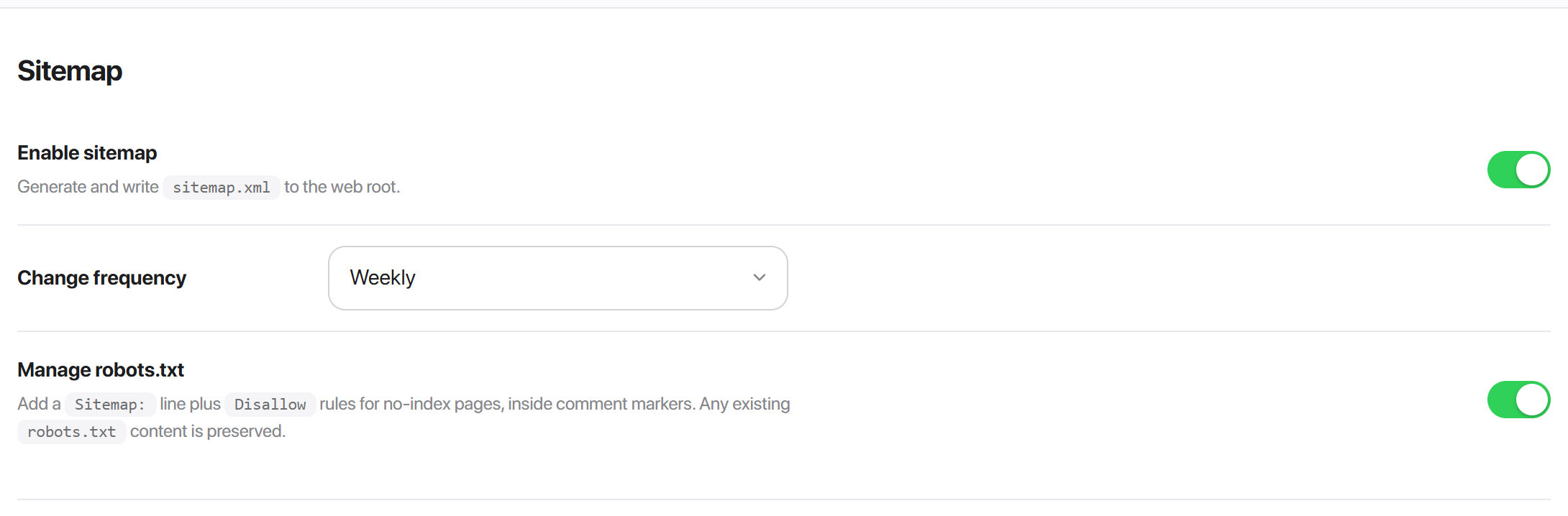
| Setting | Default | What it does |
|---|---|---|
| Enable sitemap | on | Generate sitemap.xml and write it to the web root. |
| Change frequency | weekly | The <changefreq> written against every entry. The other choices are always, hourly, daily, monthly, yearly and never. |
| Manage robots.txt | on | Write a Sitemap: line, plus a Disallow rule per no-index page, into robots.txt. |
What goes in
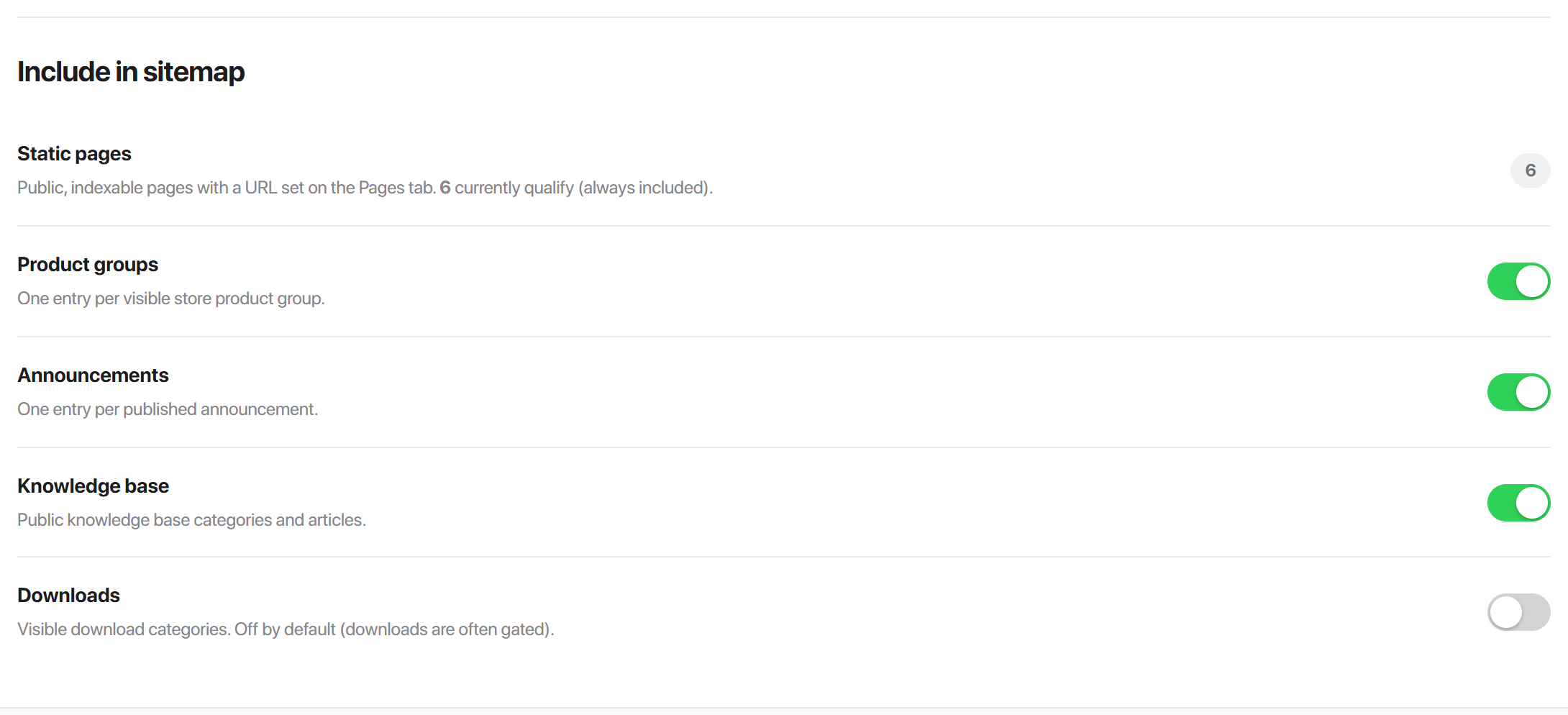
The site root is always the first entry, at priority 1.0. After that:
| Source | Priority | What qualifies |
|---|---|---|
| Static pages | 0.8 | Every page on the Pages tab that is Public, is not set to Disallow indexing, and has a Public URL. Always included - there is no toggle, only the count. |
| Product groups | 0.6 | One entry per store product group. |
| Announcements | 0.5 | One entry per published announcement. |
| Knowledge base | 0.5 | Public categories and public articles. |
| Downloads | 0.4 | Visible download categories. Off by default, because downloads are usually gated. |
Dynamic URLs are built through WHMCS' own routing, so they come out in whatever form your Friendly URLs setting produces.
robots.txt
The block Hadrian writes is wrapped in comment markers:
# hadrian sitemap generator start
Sitemap: https://example.com/sitemap.xml
User-agent: *
Disallow: /store/order
# hadrian sitemap generator end
Anything already in your robots.txt is preserved - the generator replaces only what is between its own markers, so rules you added by hand survive every regeneration. The Disallow lines are the pages set to Disallow indexing that also have a Public URL; a disallowed page with no URL still gets its noindex meta tag, but there is no path to write into robots.txt.
The Sitemap: line is only written while Enable sitemap is on, so turning the sitemap off never leaves crawlers pointed at a file you have stopped maintaining.
Generating
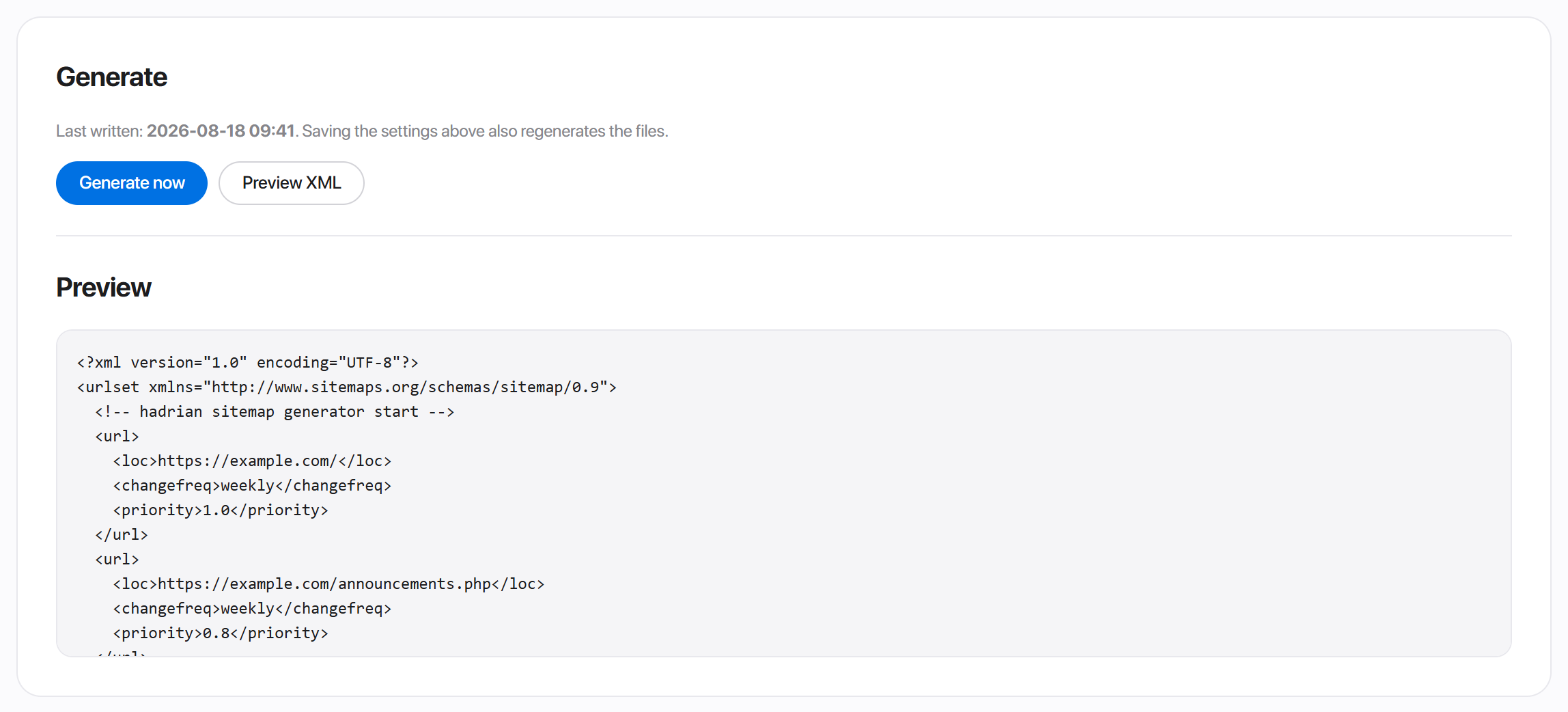
- 1Set the toggles above and press Save & generate. Saving writes the files as well, so most of the time this is the only button you need.
- 2Generate now rewrites both files without changing any settings.
- 3Preview XML shows exactly what would be written, and writes nothing.
Last written carries the timestamp of the current sitemap.xml, or says the file has not been generated yet.
sitemap.xml. Come back to this tab and press Generate now - or make it part of your publishing routine.A sensible setup
- 1Fill in your company name and tagline in WHMCS' General Settings - they are the fallback title suffix and the fallback description for every page.
- 2Upload a favicon and a square logo on the Branding tab.
- 3Write a title, description and social image on the handful of pages a stranger can actually reach: the homepage, the store, contact, announcements, knowledge base.
- 4Set Disallow indexing on anything you do not want in search results. Nothing does this for you.
- 5Give each of those public pages a Public URL so it reaches the sitemap.
- 6Open Sitemap, choose your sources, and press Save & generate.
- 7Submit
https://yourdomain.com/sitemap.xmlin Google Search Console.